To cancel your subscription, raise a support ticket with ticket type Cancellation Request, fill out all the mandatory fields, submit the ticket and a member of our Customer Success team will be in touch shortly.
Please note that cancellation requests must be submitted at least 30 days before the end of your term to prevent auto-renewal into a new term. |
OPTION 1 - FROM SUPPORT PORTAL
Step 1 - Open a new support ticket
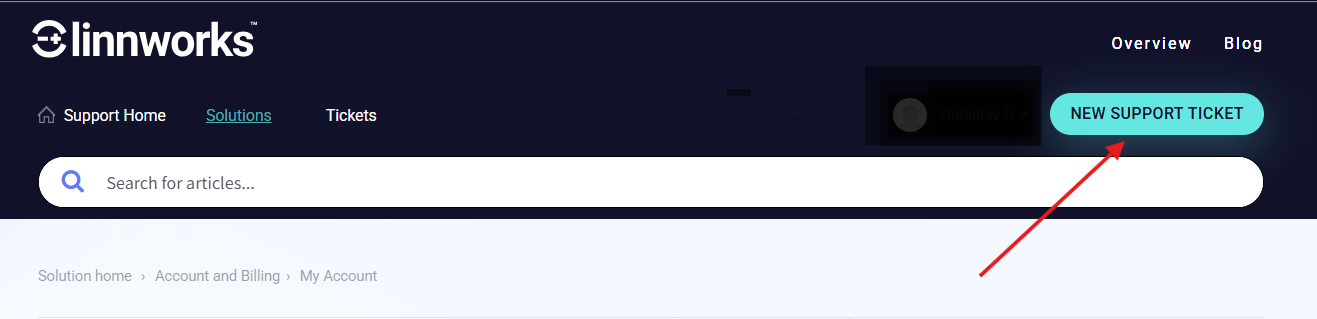
Raise a support ticket by clicking NEW SUPPORT TICKET at the top of the page, or go directly to the ticket submission page.
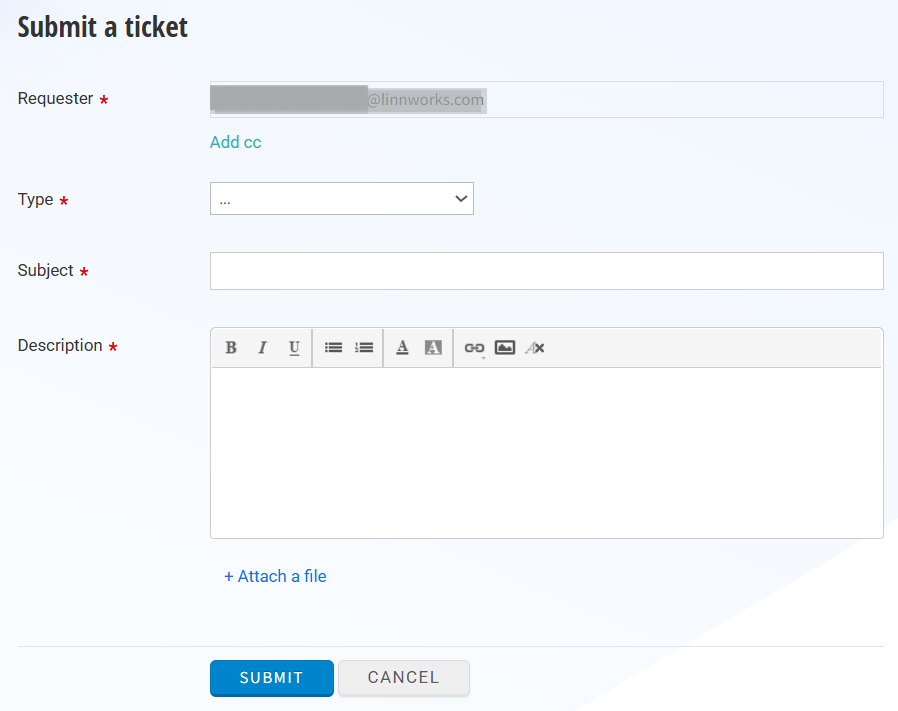
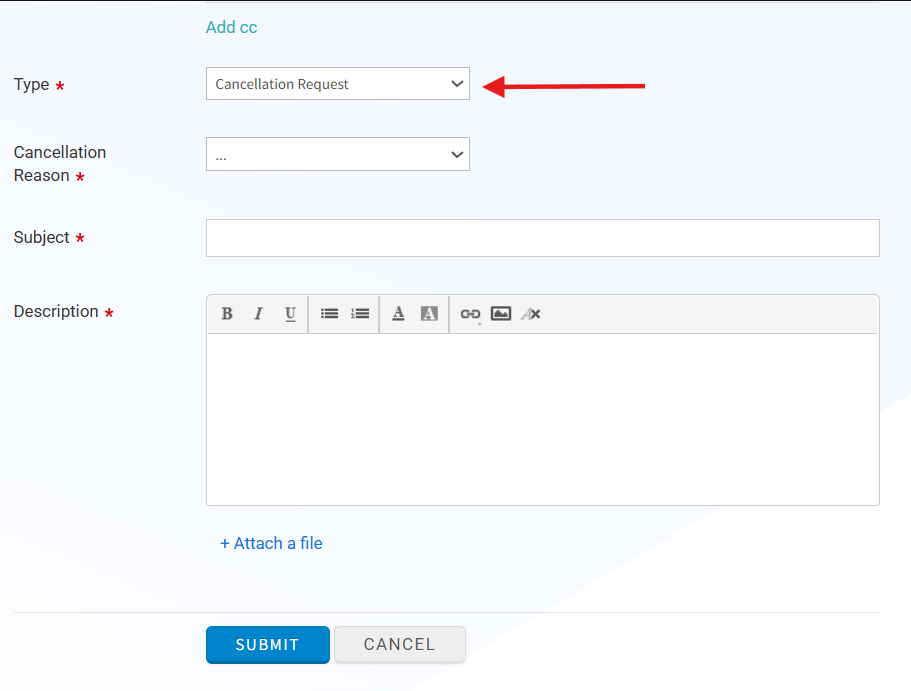
Step 2 - Select "Cancellation Request" as the ticket type
In the ticket Type dropdown, select Cancellation Request.
Step 3 - Select your reason for cancellation
A Cancellation Reason field will appear below. Select the option that best describes your situation.
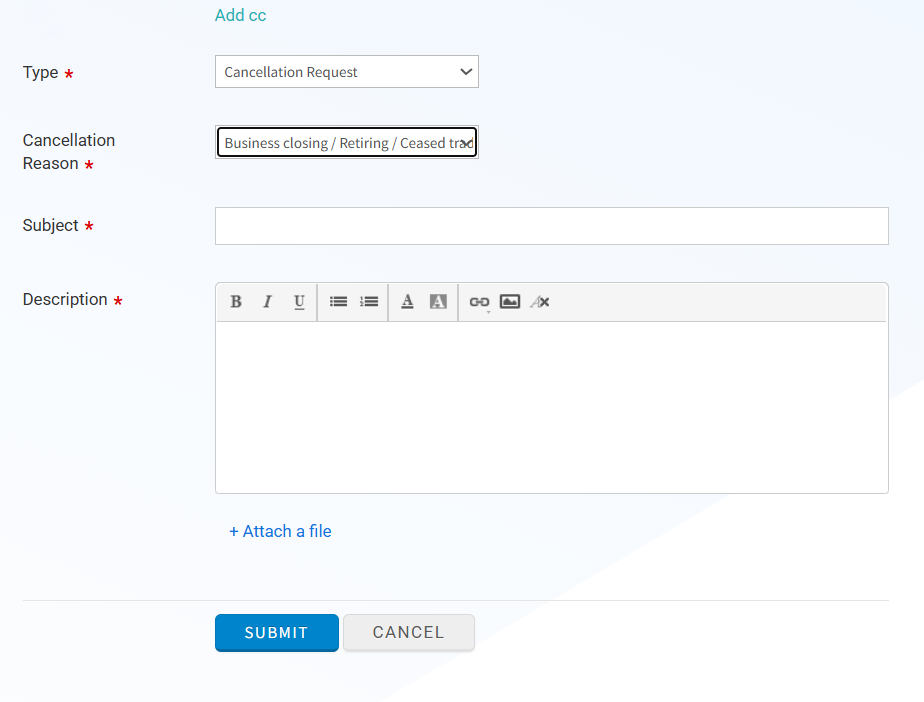
Step 4 - Complete and submit the ticket
Fill in the mandatory fields marked with (*) and add any details in the body, then click SUBMIT.
OPTION 2 - FROM LINNWORKS.NET
Step 1
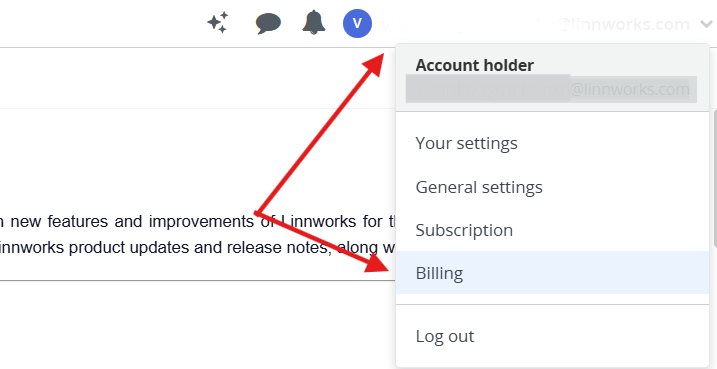
In order to request a cancellation directly from Linnworks.net, please go to Account > Billing
Step 2
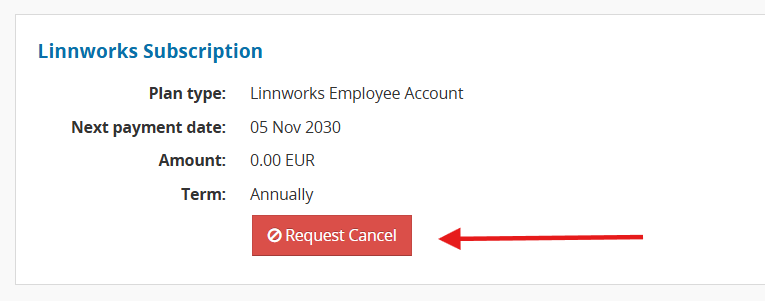
On the Billing page, click the Request Cancel button. This will take you directly to our support portal to submit a ticket.
What Happens Next
You will receive an automated acknowledgement email confirming that your request was received.
A Customer Success Manager will personally follow up with you to discuss the cancellation.